X / Twitter
Threads, punchy single posts, hooks, and reply-ready variations.

Distribution assets
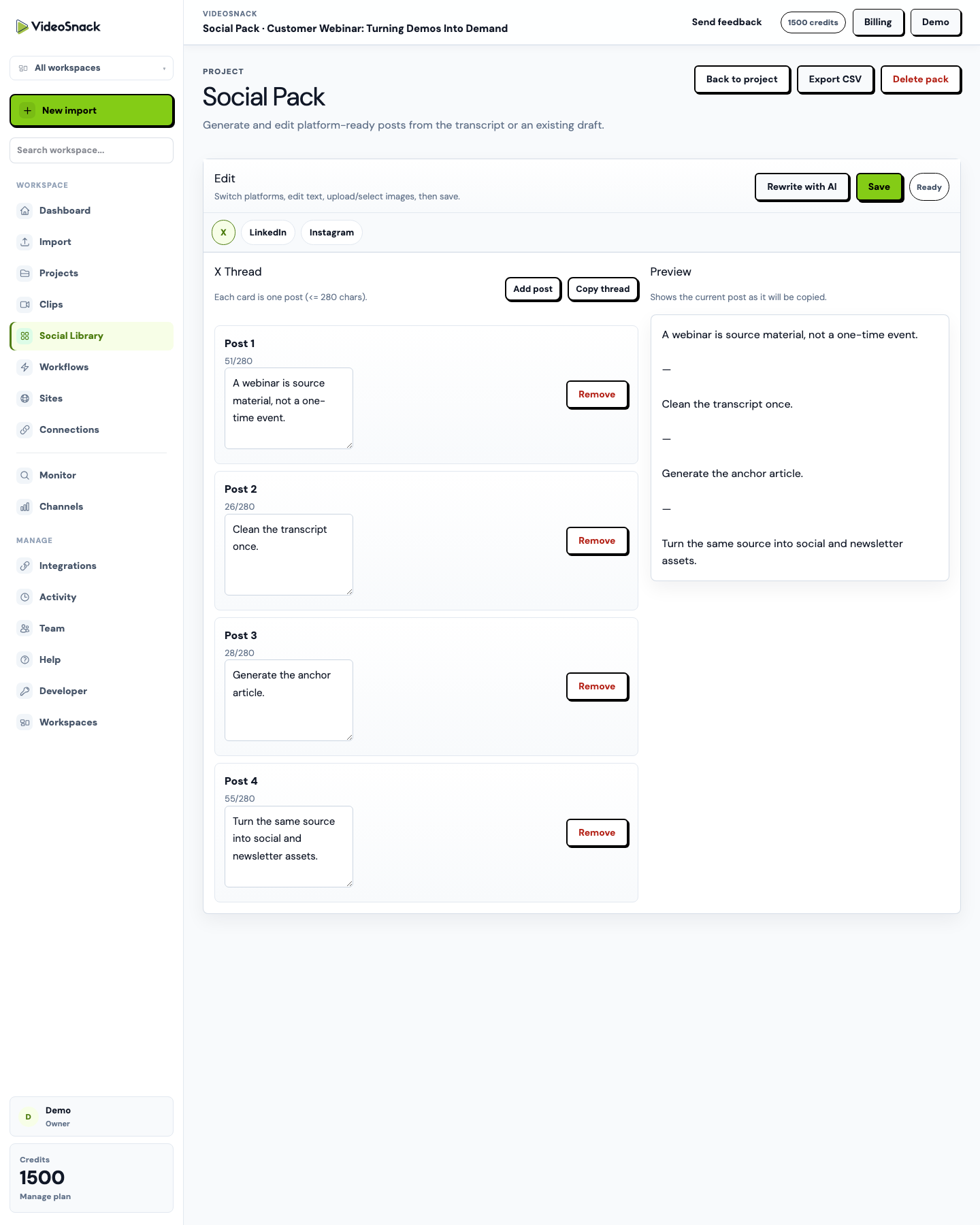
Social packs turn a transcript or draft into reusable social assets. Teams can edit platform fields, render carousel images, upload supporting assets, and download bundles for publishing.
What it does
This feature fits into the same source-to-publish workspace, so teams do not need to rebuild the handoff for every recording.
Who uses it
VideoSnack is built for teams that already have recordings, shows, demos, or market discoveries and need a cleaner way to turn them into publishable assets.
This role benefits when the same workflow can be repeated across many recordings, clients, or publishing destinations.
This role benefits when the same workflow can be repeated across many recordings, clients, or publishing destinations.
This role benefits when the same workflow can be repeated across many recordings, clients, or publishing destinations.
Real use cases
These examples are based on the actual source-to-publish workflows VideoSnack supports today.
A creator turns a podcast episode into an X thread, Instagram caption, and LinkedIn post.
A B2B team turns a webinar recap into a LinkedIn carousel and supporting social copy.
An agency downloads carousel assets as a ZIP bundle for client approval.
Product view
This screenshot is from the current VideoSnack app, using demo content to show how the feature appears in context.
Typical flow
Use the feature as a step in a manual project, a saved workflow, or an automated content production process.
Start the work from the right source.
Keep the project connected to the same workspace.
Keep the project connected to the same workspace.
Move the finished asset forward.
Outcomes
The value is not just creating one asset faster. It is making the next recording easier to process, review, and publish.
Related use cases
Use-case pages show the same workflow from the perspective of a role, industry, or source content type.
Start a free trial with 100 credits and test the full video-to-content workflow.